Linkedin is a social media platform designed to help people build their professional networks. A LinkedIn Page for Pharmacy Business is a crucial resource if you hope to grow and expand. It can also help you get plugged into industry-related news and even share valuable content that promotes your pharmacy. Your LinkedIn pharmacy page is a valuable outlet for showing off your business’s latest news, along with your specialized products or services.
LinkedIn will help deliver this content to other professionals in your industry to generate buzz and business but also reach local professionals who could be your customers but do not use Facebook & Instagram. In particular, LinkedIn probably has the oldest demographic on social media.
LinkedIn will also help you with any recruitment campaigns. Using their targeted advertising platform, you can reach any LinkedIn member who is registered as a pharmacist easily. Although it’s more expensive than Facebook Advertising it could save you thousands in recruitment fees. If you have a recruitment drive at the moment and would like to complement it with a structured digital marketing campaign get in touch now.
What You Need to Create a LinkedIn Page for Pharmacy Business
There are many requirements when you create a LinkedIn page for your pharmacy business that you must meet to access this LinkedIn feature. For instance, you’ll need to have a personal LinkedIn profile of your own.
That account also has to:
- Be at least seven days old
- Have a profile strength of Intermediate or All-Star
- Show that you’re currently an employee at the company you wish to create a page for (this applies to your employee or staff)
- List your company position on your profile
- Have several first-degree connections (there’s no specific number you must reach, but the more you can include, the better)
- Be associated with a company email address that has a unique company domain
It can be a bit challenging if you’re not an already active LinkedIn user. Fortunately, anyone who’s an employee at your pharmacy can create and manage your company page. As long as you have at least one active LinkedIn user, meeting these requirements shouldn’t be too hard.
Steps to Create a LinkedIn Page for Pharmacy Business
Here are seven easy steps on how you can build and organize a LinkedIn Page for Pharmacy Business .
1. Click on Work in the top navigation bar
At the bottom of the menu, click Create a Company Page +

2. Next, choose your page type
- Small business (fewer than 200 employees)
- Medium to large business (more than 200 employees)
- Showcase page (sub-pages associated with an existing page)
- Educational institution (schools and universities)
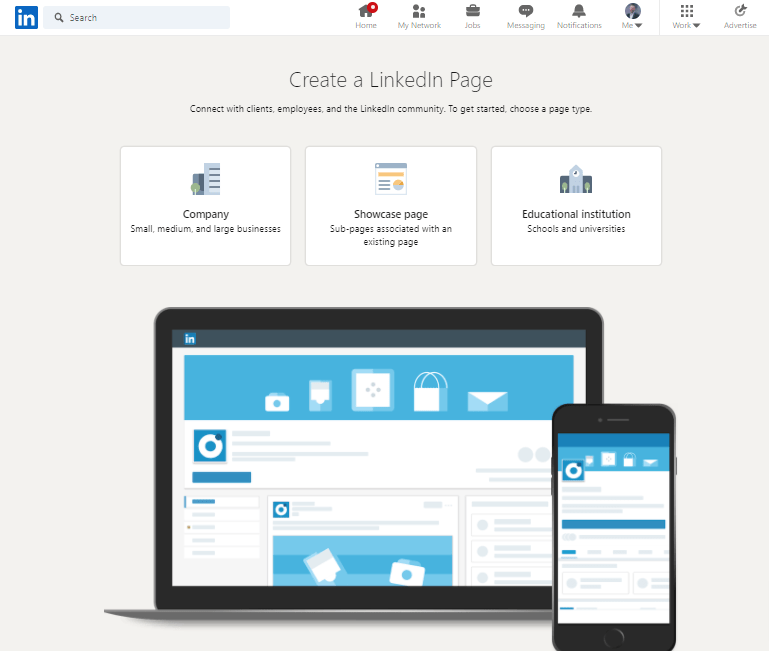
Once you select your page type, you can begin creating your LinkedIn Pharmacy Page.
3. Start by entering the name of your pharmacy
LinkedIn will let you know if that name has already been used. If it is, you will need to modify it to something unique. You can easily do this by adding your location. Keep in mind that you are limited to 100 characters.
-
Add your pharmacy’s name
Adding it will auto-fill your LinkedIn Public URL. You can edit this, but it must still be unique. It is usually in your best interest to keep this as your company name for ease and consistent branding.
-
Add the link to your pharmacy website. That’s on the last field in the top section

-
Fill in your pharmacy details in the second section
-
Upload your pharmacy logo and add a tagline in the last section of your page
For best results, make the logo image 300 X 300 pixels. It must be a JPEG or PNG format.
Your tagline is like a headline for a business page. You have 120 characters to write it.
LinkedIn guideline for the tagline is: Use your tagline to describe what your company does briefly. But, of course, you can change this later upon your decision.
- Finally, check the box to verify you are an official representative of the company
You will see a preview of your page on the right-hand side. If you are happy with it, click the Create page button.
4. Complete your LinkedIn Company Page
-
Start by adding a cover image
-
Click on the pencil icon, representing the edit function
Here, you can upload, reposition or delete the image. The ideal dimensions of your cover image are 1536 X 768 pixels.
You can add or edit the rest of your Pharmacy Page information. Do this by clicking the pencil icon to the right of your company name.

-
Select Page Info in the navigation area on the left.
Here, you can make changes to the name, logo, and tagline of your Company Page.

-
Go to the Overview section in the navigation area on the left to fill in or update your details.
It includes adding a company description. Your description must be between 250 and 2,000 characters long, including spaces. Use as many characters as possible.
When writing your description, share information about:
- your pharmacy
- products and/or services that you offer
- your ideal customers
- problems you solve for your ideal customers
The Current Experience section in your personal profile will have similar information. But, again, ensure your description speaks to your ideal customers. Begin with a paragraph or two describing your pharmacy, speaking to its credibility in your industry. Then, share the most compelling information about your pharmacy here. You can also highlight the benefits customers receive when working with your pharmacy.
5. Make a list of the key products or services that your pharmacy provides.
Include a call to action at the bottom of your description, telling people what you want them to do next. Below this, you can add or edit the following information about your pharmacy:
- Website
- Phone
- Industry
- Company size
- Company type
- Year founded
6. In the next section, you can add up to 20 specialties for your pharmacy.
These are similar to skills in your personal profile. Think of keywords you want to be found for, reflecting what your pharmacy offers. Do this if you are based in a specific location or have more than one location. For example, you can add this in the locations section when creating a LinkedIn page for your pharmacy business.

Add up to three hashtags to your company page. It will allow you, like your page, to like, comment on or reshare posts that include this hashtag.
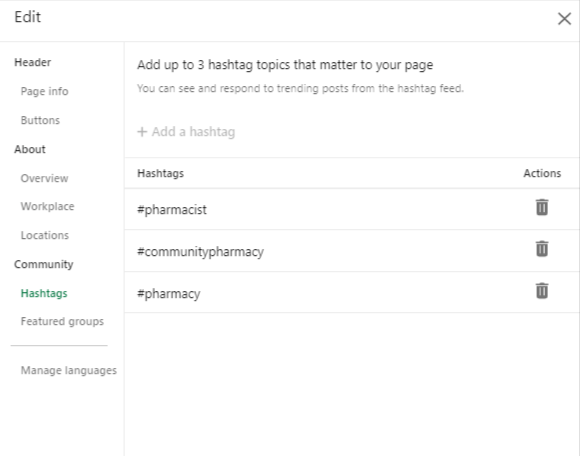
You can add up to 10 LinkedIn groups, if your pharmacy runs any, under the Featured group’s section.

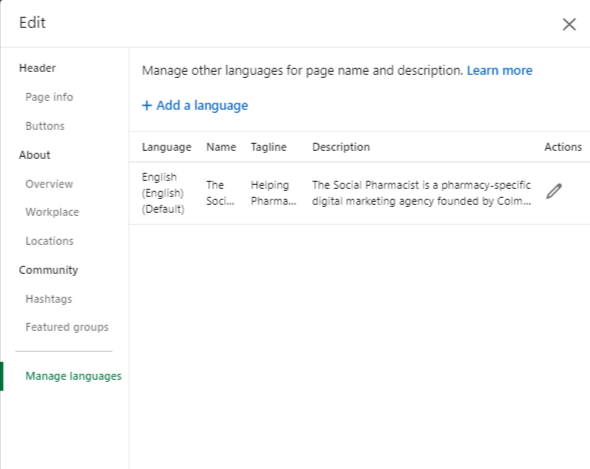
7. Finally, you can set or change the language of your LinkedIn Pharmacy Page.
Add a custom CTA button to your LinkedIn Company Page
Take advantage of the custom call-to-action (CTA) button on your Company Page.
To add or edit your CTA button, click the pencil icon located on the top right side.
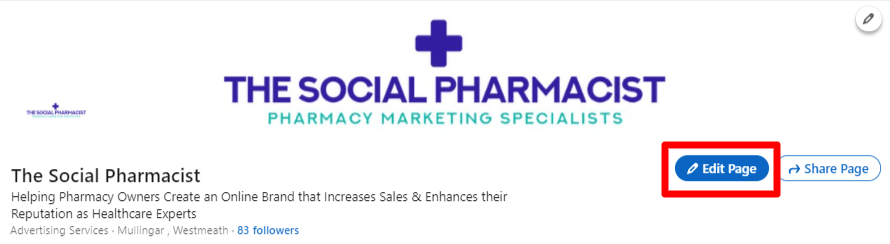
Go to Buttons in the navigation panel located on the left.

Here, you can select which call to action you want to add. You have a choice of the following CTAs:
- Contact us
- Learn more
- Register
- Sign up
- Visit website

Below the button name, you can add the link to the page you wish to direct your visitors. You will also see a preview of your button under this.
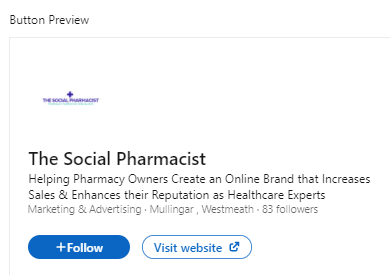
Be sure to turn your CTA button on once you finish setting it up.
Follow best practices after you create your LinkedIn page for pharmacy business.
Completing your Company Page setup is just the first step towards success on LinkedIn. Here is a list of best practices you should follow to ensure that a professional community does form around your pharmacy brand.
1. Share content regularly
Brands that post weekly see a considerable lift in engagement. If you’re not always sure what to post, use LinkedIn content suggestions to get inspired.
2. Create a Showcase Page
This tool enables you to highlight different units of your pharmacy or individual projects. By narrowing down the scope of what you feature on a Showcase Page, you can share the most relevant content with your key target audience.
3. Engage your employees
Encourage your employees to use their personal profiles to uplift the pharmacy page. The likes, comments, and shares from employees can help you get your content in front of new audiences.
Don’t be afraid to ask for some help. Personal profiles have up to 10 times more social reach, so this practice is definitely worth a shot!
4. Use LinkedIn Career Pages
You can use LinkedIn career pages if you’re planning to implement LinkedIn into your hiring strategy. It is the best place to showcase your pharmacy as an employer worth working for.
5. Use LinkedIn targeting
Keep in mind that reaching the right people is vital when creating a LinkedIn page for your pharmacy business. LinkedIn allows you to do just that for free!
Sometimes you may produce a blog post designed for your customers. Then, it is good to share it in a LinkedIn update and take advantage of the organic targeting options.
To reach your target audience, prepare your post and use the dropdown menu under your profile’s name.

You’ll jump to the targeting section, where you can choose to target people based on their characteristics, including:
- Language
- Job Function
- Industry
- University
- Seniority
- Region
- Location
- Company Size
If you need help getting setup on LinkedIn or creating regular content for LinkedIn then please get in touch with us now by clicking here.